X-Labeller
From hands-on labelling work to a shippable AI data-production tool.
I learned semantic-segmentation work firsthand, benchmarked more than 10 tools, and designed X-Labeller's work and admin flows with one planner and an affiliated development team.
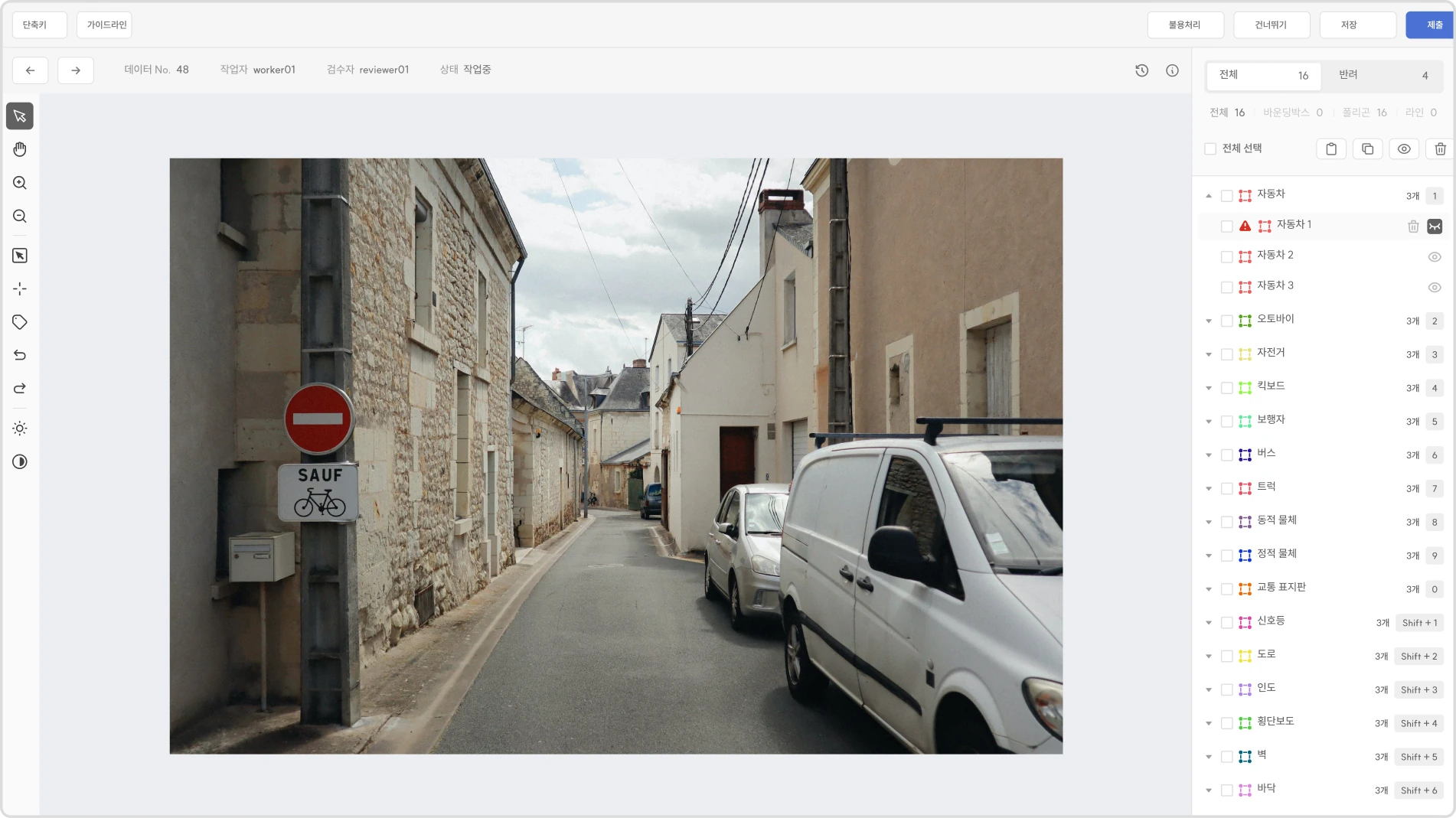
Overview
The problem
Designing the tool required understanding the technical segmentation task and its admin operations, not only restyling an existing interface.
What shipped
Hands-on task study informed the work and admin flows, shipped Auto-Seg and Snap interactions, and the materials that documented product use.
Learning the work before designing the screen
Semantic segmentation asks a worker to draw and revise precise regions while managing class lists, visibility, zoom, pan, save state, and review rules. I performed the work directly and compared more than 10 labelling tools so interface decisions could begin with the task itself rather than with a visual preference.
Making precision tools easier to predict
Decision
Constraint
Workers had to hold tool mode, selected object, point visibility, zoom position, and save state in memory while completing a detailed polygon task.
Response
The interaction model made active states and object structure easier to trace, while Auto-Seg and Snap reduced repetitive point work without removing the worker's control.
Closing interaction gaps
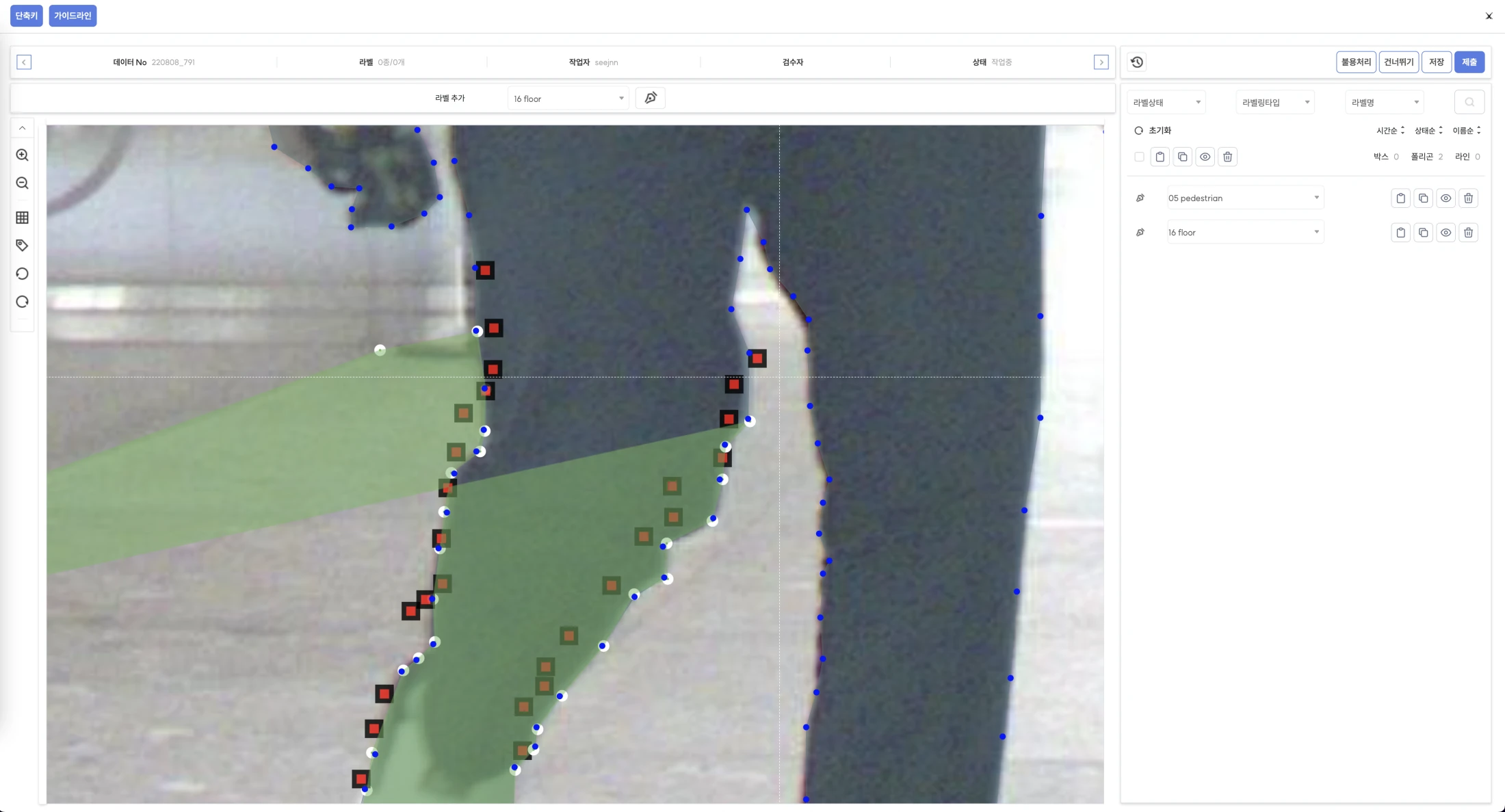
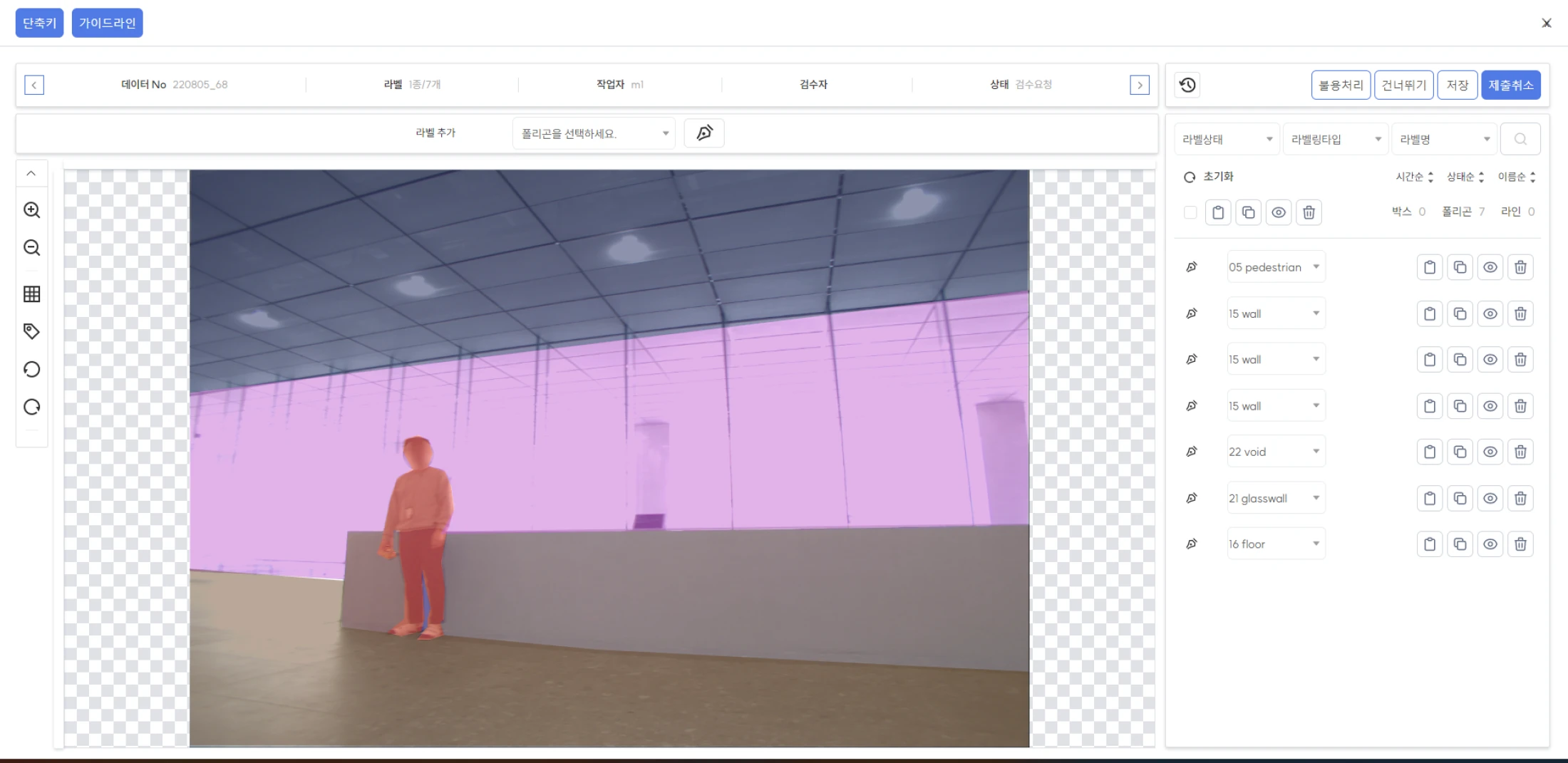
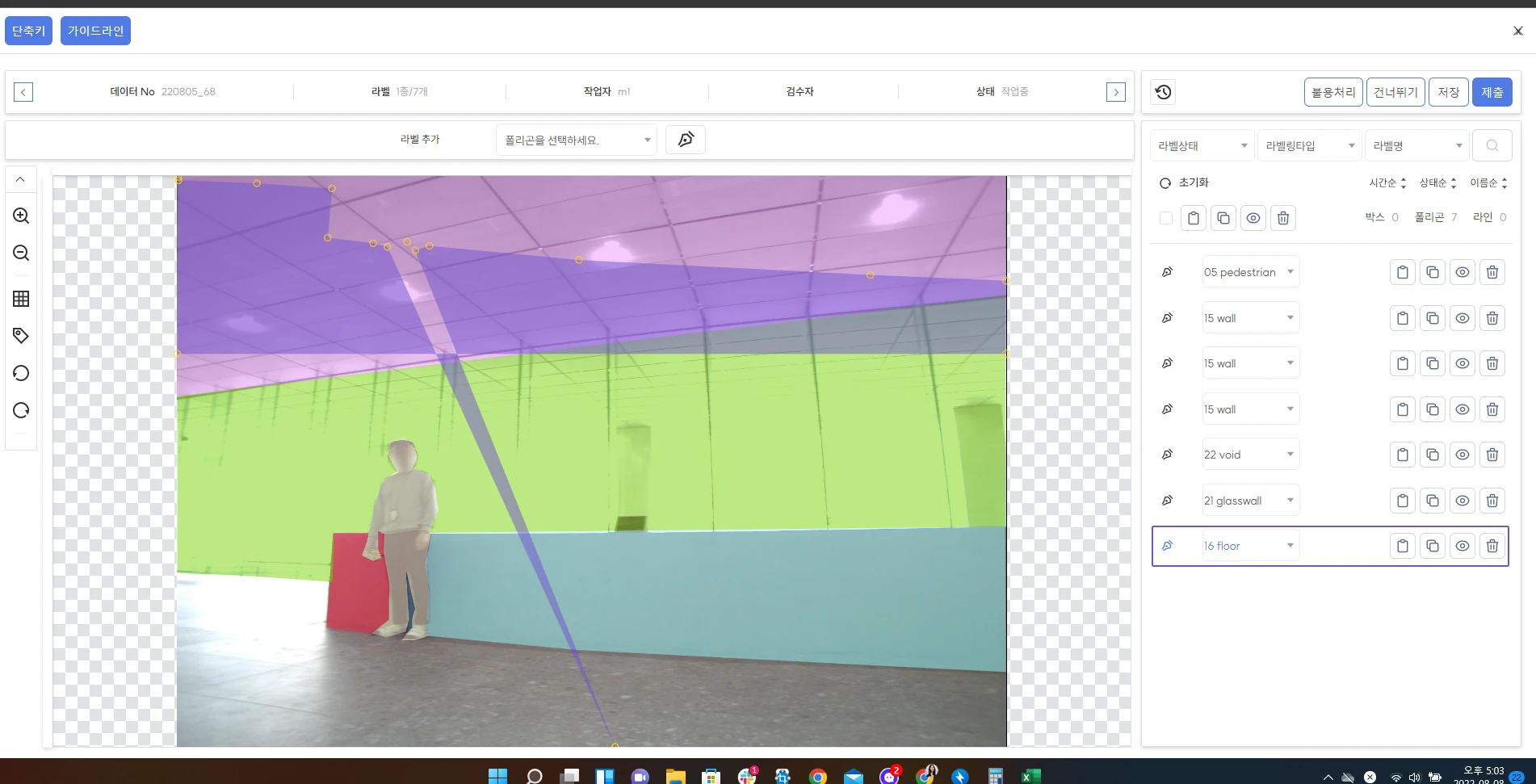
From direct work to product decisions
- 01
Performed semantic-segmentation tasks to document where accuracy, repetition, and tool state created friction.
- 02
Benchmarked more than 10 competing tools and separated common conventions from choices that did not fit X-Labeller's workflow.
- 03
Worked with one planner and an affiliated development team to define work-screen and admin behaviour that could be implemented.
- 04
Followed point visibility, saving, zoom, and pan issues through design QA instead of treating the polished screen as the end of the work.
Onboarding was part of the product
A specialist tool is not complete when its controls exist. I created an onboarding workbook, three training videos, and a guide site built with Docusaurus, the Notion API, and Typesense so new users could learn the same task model the interface was designed around. The guide was deployed during the project and is no longer public.
Verified delivery
- Comparative review
- More than 10 labelling tools
- Product interactions
- Auto-Seg and Snap shipped
- Learning support
- One workbook and three videos
- Guide site
- Docusaurus, Notion API, and Typesense deployment
What I carried forward
The project changed how I approach dense work tools: learn the work deeply enough to recognise which complexity is essential, make system state visible, and treat documentation and design QA as parts of the user experience rather than as handoff tasks.